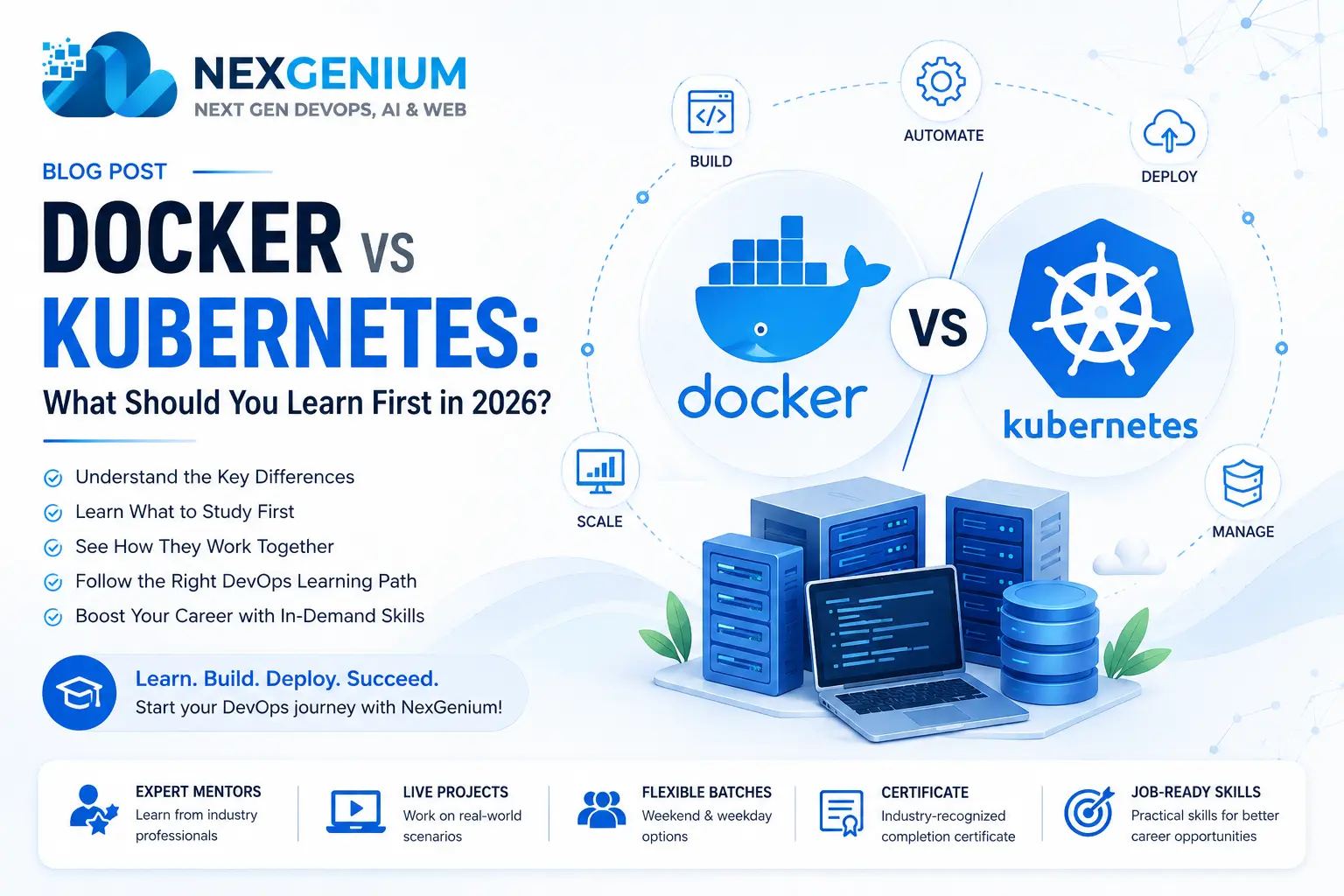
Docker vs Kubernetes: What Should You Learn First in 2026?
Docker vs Kubernetes: What Should You Learn First in 2026?
If you're starting a career in DevOps, Cloud Computing, Linux Administration, or System Administration, you've probably come across two technologies again and again:
Docker and Kubernetes.
Both are extremely important in modern DevOps environments, but they solve different problems.
A common question among students and working professionals is:
"Should I learn Docker first or Kubernetes?"
The short answer is:
Learn Docker first, then Kubernetes.
But understanding why is much more important.
In this guide, we'll explain Docker and Kubernetes, their differences, how they work together, what companies use them for, and the learning path you can follow to become job-ready.
What Is Docker?
Docker is a containerization platform that allows developers and IT teams to package applications with their dependencies into lightweight containers.
Instead of worrying about whether an application will work on another server, Docker provides a consistent environment.
Docker helps you:
- Package applications
- Create containers
- Build images
- Manage dependencies
- Run applications consistently
- Simplify deployments
For example, a developer can create a Docker image containing an application and its dependencies.
That same image can then run in:
- Development
- Testing
- Staging
- Production
- Cloud environments
This is one of the reasons Docker became so important in modern software development.
What Is Kubernetes?
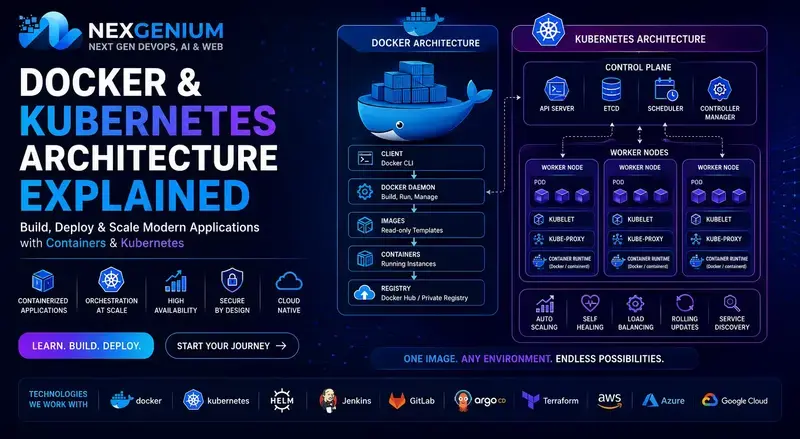
Kubernetes is a container orchestration platform.
While Docker helps you run and package containers, Kubernetes helps you manage containers at scale.
Imagine your application has:
- 5 containers today
- 50 containers next month
- 500 containers during peak traffic
Managing all of them manually becomes difficult.
Kubernetes automates many of these operations.
Kubernetes can help with:
- Container orchestration
- Scaling
- Load balancing
- Service discovery
- Self-healing
- Rolling deployments
- Rollbacks
- High availability
Docker vs Kubernetes
| Docker | Kubernetes |
|---|---|
| Containerization | Container orchestration |
| Builds container images | Manages container workloads |
| Runs containers | Manages containers across clusters |
| Dockerfile | Kubernetes YAML manifests |
| Docker Compose | Deployments & Services |
| Single-host oriented workflows | Cluster-based orchestration |
| Container lifecycle | Application lifecycle at scale |
The important thing to remember is:
Docker and Kubernetes are not direct replacements for each other.
They solve different layers of the infrastructure problem.
How Docker and Kubernetes Work Together
A typical DevOps workflow might look like this:
Step 1 — Developer Writes Code
A developer creates an application.
Step 2 — Create Docker Image
A Dockerfile is used to package the application.
Step 3 — Build the Image
The Docker image is created through the CI/CD pipeline.
Step 4 — Push to Container Registry
The image is stored in a registry such as:
- Docker Hub
- Amazon ECR
- Azure Container Registry
- Google Artifact Registry
Step 5 — Deploy to Kubernetes
Kubernetes pulls the image and deploys it into the cluster.
Step 6 — Kubernetes Manages the Application
Kubernetes handles:
- Replicas
- Networking
- Scaling
- Health checks
- Updates
- Recovery
This is where Docker and Kubernetes become powerful together.
Should You Learn Docker Before Kubernetes?
Yes.
For most beginners, learning Docker first creates a much stronger foundation for Kubernetes.
Before learning Kubernetes, you should understand:
- Containers
- Images
- Dockerfiles
- Container networking
- Volumes
- Registries
- Environment variables
- Container lifecycle
Once you understand these concepts, Kubernetes becomes much easier to understand.
Recommended DevOps Learning Path
If you're starting from scratch, don't try to learn everything simultaneously.
Follow a structured path.
Phase 1 — Linux
Learn:
- Linux commands
- Users and groups
- Permissions
- Processes
- SSH
- Networking
- Shell scripting
- Logs
Phase 2 — Git
Learn:
- Git commands
- Branching
- Merging
- Pull requests
- GitHub
- GitLab
Phase 3 — Docker
Learn:
- Docker architecture
- Images
- Containers
- Dockerfile
- Docker Compose
- Networking
- Volumes
- Container registries
Phase 4 — CI/CD
Learn:
- Jenkins
- GitHub Actions
- GitLab CI/CD
- Automated builds
- Testing
- Deployment
- Rollbacks
Phase 5 — Kubernetes
Learn:
- Pods
- Deployments
- Services
- Namespaces
- ConfigMaps
- Secrets
- Ingress
- Persistent Volumes
- StatefulSets
- DaemonSets
- Jobs and CronJobs
Phase 6 — Cloud
Then move into:
- AWS
- Azure
- GCP
Focus on:
- Compute
- Networking
- IAM
- Storage
- Load Balancers
- Auto Scaling
- Cloud Monitoring
Phase 7 — Infrastructure Automation
Learn:
- Terraform
- Ansible
- CloudFormation
Phase 8 — Monitoring
Finally, learn:
- Prometheus
- Grafana
- Loki
- ELK
- Cloud monitoring
This gives you a strong foundation for a modern DevOps role.
Docker and Kubernetes Projects You Should Build
If you're learning DevOps, don't stop after watching tutorials.
Why Hands-On Projects Matter
Knowing the definition of a Kubernetes Pod is different from actually troubleshooting a failed Pod.
In a real environment, you may encounter:
- CrashLoopBackOff
- ImagePullBackOff
- Pending Pods
- DNS problems
- Resource limits
- Storage issues
- Network connectivity problems
- Failed deployments
These situations teach you how DevOps actually works.
That's why practical experience matters.
Docker & Kubernetes for Working Professionals
If you're already working as a:
- Linux Administrator
- System Administrator
- Software Developer
- QA Engineer
- Network Engineer
- Technical Support Engineer
- Cloud Engineer
- Infrastructure Engineer
Docker and Kubernetes can help you move toward higher-level cloud and DevOps roles.
You don't necessarily need to restart your career.
Instead, you can build on your existing experience.
For example:
Linux Administrator → DevOps Engineer
Linux + Networking + Git + Docker + Kubernetes + Cloud + CI/CD
Developer → DevOps / Platform Engineer
Development + Git + Docker + CI/CD + Kubernetes + Cloud
System Administrator → Cloud / DevOps Engineer
Infrastructure + Linux + Networking + Automation + Cloud + Kubernetes
Docker and Kubernetes Interview Questions
If you're preparing for a DevOps interview, expect questions such as:
Docker
What is a Docker image?
What is the difference between an image and a container?
What is a Dockerfile?
How does Docker networking work?
What is Docker Compose?
Kubernetes
What is a Pod?
What is a Deployment?
What is the difference between Deployment and StatefulSet?
What is a Kubernetes Service?
What is Ingress?
What happens when a Pod crashes?
How does Kubernetes perform scaling?
The Biggest Mistake DevOps Learners Make
One of the biggest mistakes is trying to memorize commands without understanding the architecture.
For example:
Knowing:
kubectl get pods
is useful.
But understanding:
Why is the Pod failing?
is much more valuable.
A good DevOps engineer doesn't just execute commands.
They understand:
Application → Container → Network → Infrastructure → Monitoring → Automation
Is Kubernetes Difficult to Learn?
Kubernetes can appear complicated at first because it introduces many new concepts.
However, learning becomes easier when you understand the architecture step-by-step.
Start with:
Pod → Deployment → Service → ConfigMap → Secret → Ingress
Then move toward:
Storage → Scaling → StatefulSets → Helm → Security → Monitoring
Don't try to learn the entire Kubernetes ecosystem in one week.
Build progressively.
Why Companies Need Docker & Kubernetes Professionals
Modern applications increasingly require:
- Scalability
- Faster deployments
- High availability
- Automation
- Infrastructure consistency
- Efficient resource utilization
Docker and Kubernetes help organizations build and operate these environments.
This creates opportunities for professionals with practical container and cloud skills.
Why Learn Docker & Kubernetes with NexGenium?
At NexGenium, we focus on learning through practical implementation rather than simply watching recorded tutorials.
Our DevOps training focuses on real-world technologies and project scenarios.
You can gain hands-on exposure to:
- Linux
- Git
- Docker
- Kubernetes
- AWS
- CI/CD
- Jenkins
- Terraform
- Prometheus
- Grafana
- Cloud Infrastructure
More importantly, the goal is to understand how these technologies work together in production environments.
Live Project-Based Learning
The difference between completing a course and becoming confident in DevOps is practical experience.
At NexGenium, learners can work through real-world project scenarios involving:
Application Deployment
Deploy applications using Docker and Kubernetes.
CI/CD Automation
Build automated pipelines for application delivery.
Cloud Infrastructure
Deploy and manage infrastructure on cloud platforms.
Monitoring
Monitor applications and infrastructure using modern observability tools.
Troubleshooting
Work through common deployment, networking, container, and infrastructure issues.
What Should You Learn First?
If you're still confused, follow this simple sequence:
Linux
↓
Git
↓
Docker
↓
CI/CD
↓
Kubernetes
↓
AWS / Azure / GCP
↓
Terraform
↓
Monitoring
↓
Advanced DevOps & Platform Engineering
This sequence provides a practical foundation for progressing into modern DevOps roles.
Final Thoughts
Docker and Kubernetes are two of the most important technologies in the modern DevOps ecosystem.
But don't think of the choice as Docker vs Kubernetes.
Think of it as:
Docker → Learn Containers
Kubernetes → Learn Orchestration
Cloud → Learn Infrastructure
CI/CD → Learn Automation
Terraform → Learn Infrastructure as Code
Monitoring → Learn Reliability
Together, these skills create a powerful foundation for a modern DevOps career.
Whether you're a student, Linux Administrator, System Administrator, developer, or experienced IT professional, learning Docker and Kubernetes through practical projects can help you move toward more advanced cloud and DevOps opportunities.
Ready to Move Beyond Tutorials?
Learn Docker & Kubernetes Through Real Projects
Don't just learn commands. Build, deploy, troubleshoot, automate, and monitor real-world environments.
Join NexGenium's practical DevOps training and mentorship programs to develop hands-on skills in Docker, Kubernetes, AWS, CI/CD, Linux, Terraform, and cloud infrastructure.
Learn. Build. Deploy. Automate. Grow.
Start your DevOps journey with NexGenium. 🚀
Email us: [email protected]
About Cathrine
Senior Solutions EngineersNexGenium technical practitioners providing production-grade engineering, cloud infrastructure solutions, and industry training.